Our same-GIF container test
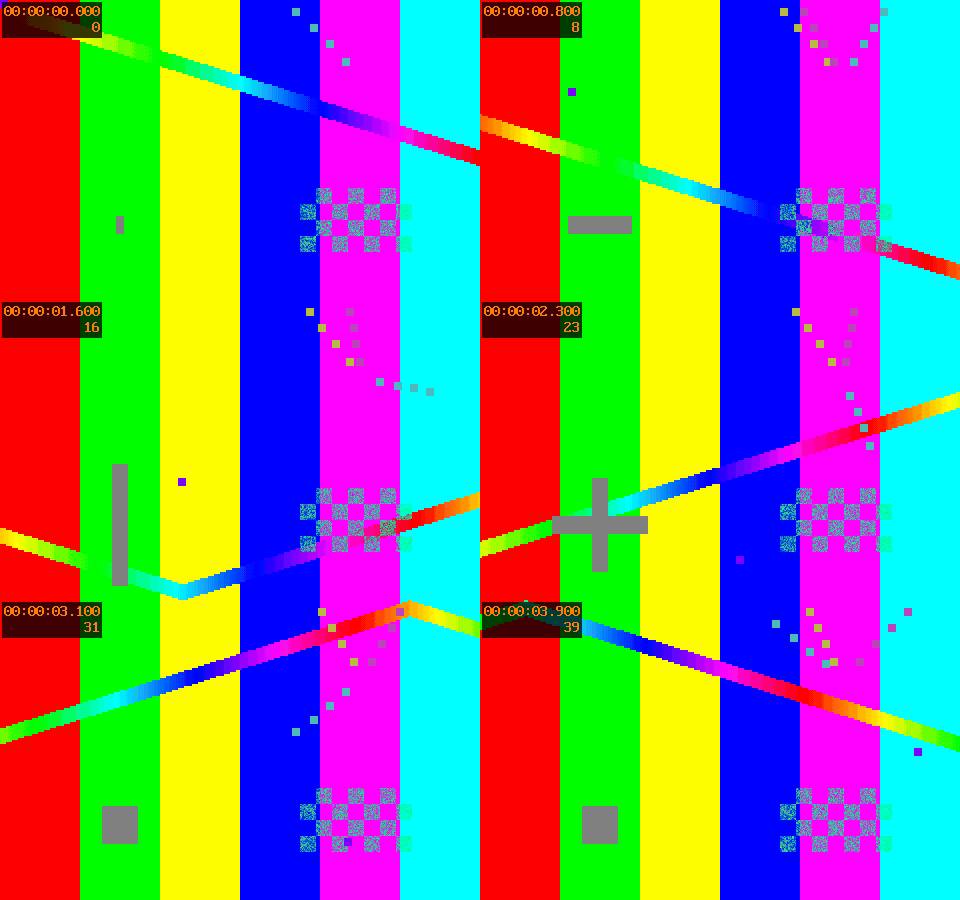
Reproduce this FFmpeg testsrc2 GIF, 40 frames, 4 s, 480 × 300, 10 fps, palettegen 128 colors, Bayer scale 3 with the downloadable generator command; WebM uses single-thread VP8 realtime/cpu-used 5, CRF 32, 1000 kbps, GOP 60, while MOV uses single-thread H.264 ultrafast, CRF 23, no B frames, GOP 60, and both use a millisecond encoder time base.
| Measured file and full sample context | Bytes |
|---|---|
| FFmpeg testsrc2 GIF, 40 frames, 4 s, 480 × 300, 10 fps, palettegen 128 colors, Bayer scale 3; source GIF encoding as above; decoded 40 frames, 4 s, 480 × 300 | 338,195 |
| FFmpeg testsrc2 GIF, 40 frames, 4 s, 480 × 300, 10 fps, palettegen 128 colors, Bayer scale 3; VP8/WebM CRF 32, 1000 kbps, GOP 60; decoded 40 frames, 4 s, 480 × 300 | 156,352 |
| FFmpeg testsrc2 GIF, 40 frames, 4 s, 480 × 300, 10 fps, palettegen 128 colors, Bayer scale 3; H.264/MOV CRF 23, GOP 60; decoded 40 frames, 4 s, 480 × 300 | 308,136 |
For FFmpeg testsrc2 GIF, 40 frames, 4 s, 480 × 300, 10 fps, palettegen 128 colors, Bayer scale 3, VP8/WebM CRF 32, 1000 kbps, GOP 60, reduction = (338195 − 156352) ÷ 338195 × 100 = 53.77%; the downloaded video decoded to 40 frames, 4 s, 480 × 300.
For FFmpeg testsrc2 GIF, 40 frames, 4 s, 480 × 300, 10 fps, palettegen 128 colors, Bayer scale 3, H.264/MOV CRF 23, GOP 60, reduction = (338195 − 308136) ÷ 338195 × 100 = 8.89%; the downloaded video decoded to 40 frames, 4 s, 480 × 300.
For that FFmpeg testsrc2 sample (40 frames, 4 s, 480 × 300, 10 fps; GIF palette 128/Bayer 3; VP8 CRF 32/1000 kbps/GOP 60 and H.264 CRF 23/GOP 60), native FFmpeg independently decoded all frame starts from 0.0 through 3.9 s in steps of 0.1 s and verified the final end at 4.0 s in both downloads; this is sample evidence, not a guarantee for other GIFs.
FFmpeg source GIFActual WebMActual MOVMeasurement and generator command
Does conversion preserve timing?
This tool reads source frame delays and decodes the encoded output to count frames and compare presentation timestamps. It does not infer timing from file size. Zero source delays are shown as stored; decoders can interpret them differently. The tool reports differences instead of promising exact preservation. A container may round timestamps or give the final frame a different duration.
Only one animation cycle is encoded. GIF loop metadata does not become a repeating video file; use the player controls to replay. No audio is added. Transparent areas are flattened against white. Odd-sized canvases are padded on the right or bottom by one pixel when necessary, rather than cropped, to obtain even dimensions for this tool's YUV420 encoding.
Is this a renamed MP4?
No. The WebM output uses the WebM muxer and VP8 encoder. The MOV output uses the MOV muxer and H.264 encoder; it is not an MP4 file with a different suffix. The WebM Project container guidelines describe the WebM container, and the FFmpeg Formats documentation documents its muxers. Our downloadable outputs let you inspect the actual container and codec.
Conversion is lossy. A different container does not restore missing source detail or guarantee a smaller file. This version applies input-size and frame-pixel memory budgets. Encoding may fail on a device with insufficient memory. MOV preview can be unavailable in a browser even when the file decodes in a video application; a preview error is shown explicitly.
Choose the next step
Compare what changes when converting GIF to MP4, or inspect the unequal frame-delay experiment and timestamp evidence.
For an animated image with a different canvas, resize the GIF to pixel dimensions before choosing a video container.