Our transparent GIF: actual exported bytes
We generated this GIF with three labeled frames, a colored gradient and a transparent border. The canvas is 360 × 240 px. The stored delays are 100, 250 and 400 ms; the disposal settings are restore background, restore previous and keep respectively. This deliberately small sample tests a real transparent border and frame assembly, not every GIF variant.
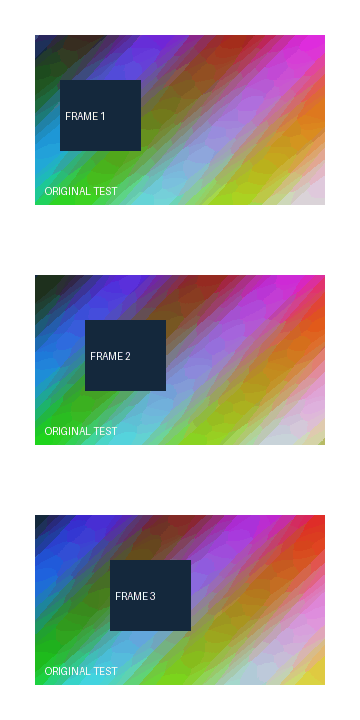
For all three sample frames, independently decoded PNG alpha and visible RGB matched the source; the sampled outer JPG corner was white. The source GIF contains 39,738 bytes. Every exported still below keeps the same 360 × 240 canvas.
| Frame / selection | Format | Output bytes | Background |
|---|---|---|---|
| 1 | PNG | 19,176 | Transparent border |
| 2 | PNG | 18,947 | Transparent border |
| 3 | PNG | 19,318 | Transparent border |
| all 3 | PNG ZIP | 58,347 | Transparent border |
| 1 | JPG | 9,599 | White border |
| 2 | JPG | 9,553 | White border |
| 3 | JPG | 9,446 | White border |
| all 3 | JPG ZIP | 29,501 | White border |
Measured October 20, 2026 from actual Chrome downloads and decoded independently. JPEG uses this tool's encoder quality setting 0.85; that setting is not a measured visual-quality percentage. ZIP bytes include images and the manifest, not just the sum of image bytes. Encoded bytes may differ in another browser.
Download source GIFFrame 1 PNGFrame 1 JPGAll PNG frames ZIPAll JPG frames ZIPMeasurement record
What happens to transparency?
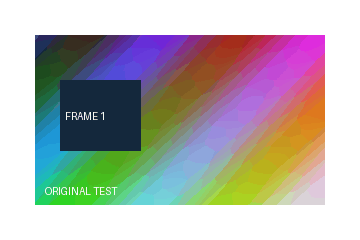
For PNG, this extractor encodes the assembled frame without painting a background first. Transparent GIF pixels stay transparent where the assembled frame has no visible content. For JPG, it paints a white canvas first and draws the selected frame over it. The preview uses the same encoded image that the current-frame download saves.
The MDN image file type and format guide documents alpha transparency in PNG and the absence of an alpha channel in JPEG. The white fill is our implementation choice. You do not need to guess which background the tool will use.
Frames can be stored as changes over earlier frames rather than complete pictures. This extractor assembles those patches in order, applies their placement and disposal instructions, and exports the full canvas. Our downloadable sample and decoded comparisons check that behavior for the sample's three disposal settings. We do not use the frame-count label alone as proof of correct pixels.
Open the exported PNG on a dark page: transparent edges should show the dark background through, while the same edges in the JPG should be white. The pixel-level result was checked on desktop; the background shown by a phone photo gallery is not the test criterion.
One frame or every frame?
Use the frame slider for a thumbnail or a particular moment. The displayed number starts at one. The PNG and JPG exports contain only that selected moment. Source GIF loop instructions are not an animation inside either still file.
Choose Prepare all frames ZIP to encode every assembled frame in the selected format. After preparation, press the ZIP download link. The archive contains files in numeric order and a JSON record of their exact byte sizes and stored source delays. The ZIP does not include the original GIF. Switch format and prepare again if you want the other image type.
The engine is bundled with this page: gifuct-js reads the GIF and JSZip packs the archive. Browser Canvas encodes the stills. The MDN Canvas toBlob documentation describes that image encoding method. We check that the browser returns the requested MIME type before offering the file.
Will JPG always be smaller?
No. Compare the displayed bytes for your chosen frame. A gradient and a flat logo can behave differently. JPG changes pixel values through lossy encoding; using it does not restore detail absent from the GIF. Our sample table is a specific measured comparison, not a promised saving for another input.
This version accepts a single complete GIF up to 25 MiB and limits canvas width × canvas height × frame count to 12,000,000 pixels to constrain its memory use. These are limits chosen in this tool's code, not claims about the maximum any browser supports. If it cannot decode or encode a file, it shows an error instead of offering an unrelated output.
Choose the output you actually need
Need an animation as a video? Read what changes when you convert GIF to MP4. Need to keep the GIF animated but reduce its file size? Use the local GIF compressor and its measured three-level comparison.