PLAYER BEHAVIOR / FIELD NOTES
GIF to video: why does the preview loop but the saved MP4 stop?
The preview’s player can repeat an unchanged MP4. In this gif to mp4 tool, the saved video contains one animation cycle; the homepage preview loops separately. To check your result, open the downloaded copy in its intended player and watch what happens at the end.
Published October 16, 2026 · Own sample, Chrome playback experiment
Open the local converter ↗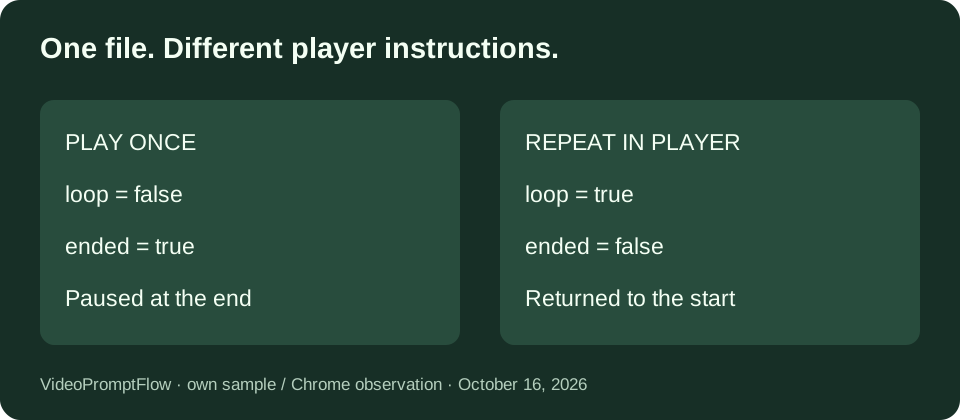
Our same-file playback experiment
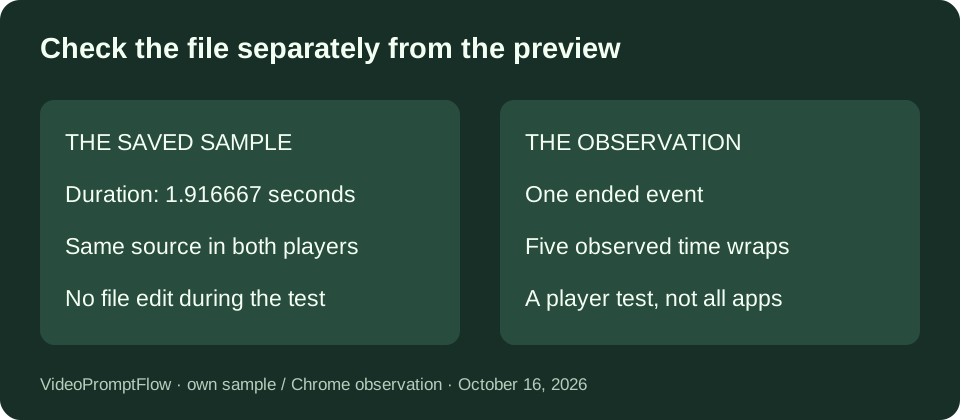
On October 16, 2026, we opened our own downloaded sample in two video elements on a local test page in Chrome. Both players referenced the same MP4 URL. We did not convert another copy, concatenate clips, or change the file between the two players. This setup isolates the player instruction from the encoded media. The sample is generated material from our converter test, not a visitor upload.
The first element had controls and muted playback, with no loop attribute. The second had the same controls and muted playback, plus the loop attribute. A shared Start both players button reset both positions to the beginning and called play on both elements. Muting the two elements made the playback comparison independent of audio; this exported sample has no audio track anyway. Neither player was configured to autoplay on page load.
We exposed the video elements’ duration, currentTime, loop, ended, and paused properties in the visible test readout. The first player also counted ended events. For the repeating player, we counted a wrap when a timeupdate observation moved backwards by more than half a second. That counter detects the return to the beginning in this short sample. It is not a frame-accurate timing instrument, and background browser throttling can affect how often observations arrive.
| Readout | Play once | Loop player |
|---|---|---|
| Same media duration | 1.916667 s | 1.916667 s |
| loop | false | true |
| ended | true | false |
| paused | true | false |
| Observed event / wrap count | 1 ended event | 5 time wraps |
At the saved snapshot, the once-only player was paused at 1.916667 seconds. The repeating player was still playing and its position was 0.052 seconds after returning to the start. Those positions were read from the browser, not estimated from a progress bar. The counters describe that snapshot only. They do not measure how long we kept the page open or promise identical timing on another device.
The useful result is that an unchanged file produced two visibly different stopping behaviors. Its duration stayed the same in both players while the repeating player returned to the start. We therefore did not interpret a repeating preview as evidence of extra cycles in the downloaded video. This observation is specific to our sample and Chrome test; it does not establish the defaults of messaging apps, social platforms, or desktop video players.
Check the implementation behind the preview
In this version of VideoPromptFlow, app.js passes ignore_loop with a value of 1 before decoding the input GIF. The export command produces a single decoded cycle, while the homepage result video element has its own loop attribute. Those are separate instructions at different stages. The converter does not currently expose a control that bakes a chosen number of repeats into the MP4.
For a reproducible check, use our saved sample rather than a GIF whose animation cycle is difficult to recognize. Download the MP4, keep one unchanged copy, and compare the live examples below. The duration readout should be interpreted as the browser’s media duration, not as a guarantee about the original GIF’s timing. Our first conversion note covers the encoding settings; this experiment asks only what the player does when it reaches the end.
Try both playback settings
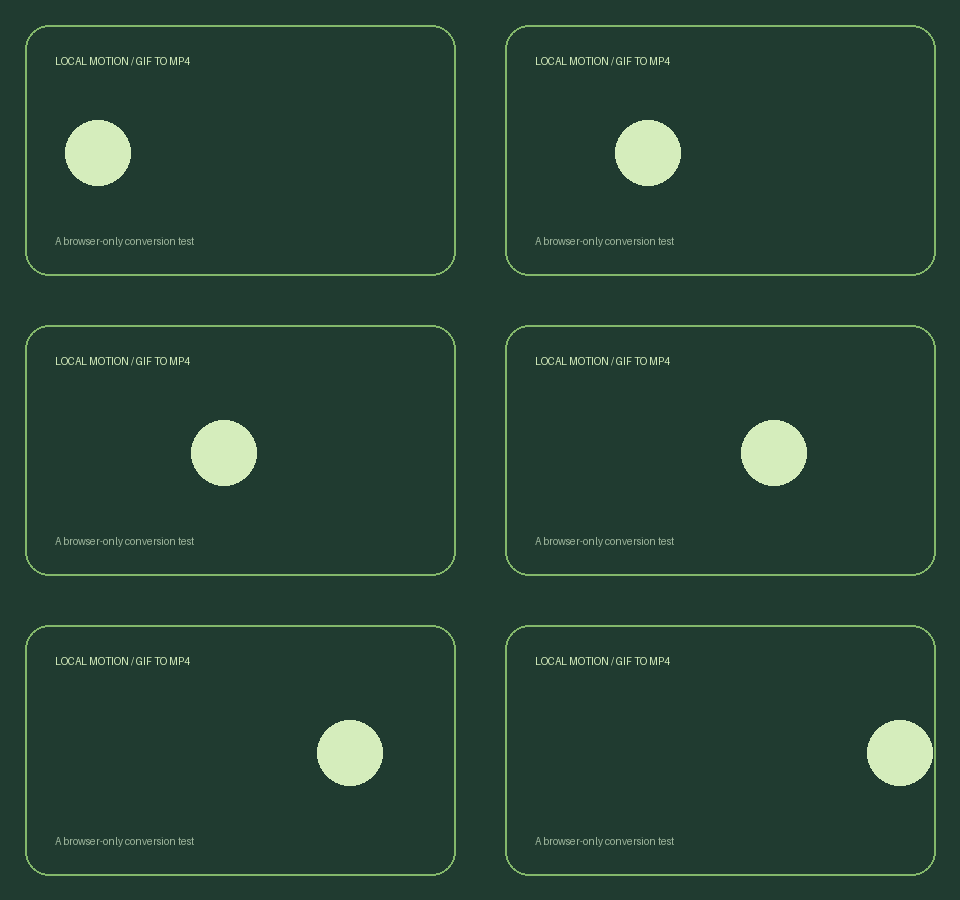
Press play in each example. The left example stops; the right example requests repeated playback. Both load the same sample. These examples do not upload a file or run a new conversion.
Play once
Repeat in this player
Download the unchanged MP4 sample · Download its source GIF
What to do before sharing your video
Open the saved MP4 in the exact destination where it will be used. Watch to the end and check whether playback stops, repeats, or waits for another tap. If you need a longer file that contains several copies of the motion, use an editor or a video repetition tool and inspect that newly saved file. This converter does not offer that extra editing step.
Questions about GIF to video loops
Does downloading add the preview loop to the MP4?
No. This tool’s download link points to the encoded output blob. The result player’s loop attribute is not a new encoding operation. Downloading after watching several preview loops does not add those viewings to the file.
Can I make a web embed repeat?
For a video element you control, the example on this page uses the loop attribute. Playback policies and other site scripts can still affect when a video starts. Test the actual page rather than assuming an exported file will force every player to repeat.
Does a looping preview prove a seamless join?
No. A repeating player can reveal an abrupt end-to-start change, but repetition alone does not remove that change. Inspect the last and first visible moments of your own animation. Our experiment records stopping behavior, not a seamlessness or quality score.
Sources and related notes
Our conversion settings and saved-file test describes the source sample. Ezgif’s loop-video tool offers repeated clips as an editing operation. CloudConvert’s GIF to MP4 page explains the formats, while FreeConvert’s MP4 page presents encoding settings. Those pages are context, not evidence for our measured player results.