FILE-VERIFIED EXPERIMENT · 22 OCTOBER 2026
GIF frame remover: what changes after deletion?
In this measured GIF frame remover recipe, deleting frames shortened the cycle by their stored delays; infinite looping and binary transparency remained intact.
Pick the source frame numbers, remove those decoded pictures, and save the retained pictures with their own delays and an explicit loop setting. Download our source, edited files and reproduction script below to follow the exact trial.
How to delete the frames you mean
Identify the unwanted pictures before editing, retain the source frame numbers in a written list, and choose whether their display time should disappear too. Our experiment uses the latter policy: deleted pictures take their delays with them. The downloadable reproduction script creates the source and all edited files locally; this page is an experiment and a reproducible recipe, not an upload editor.
If you need to inspect a different animation first, extract its numbered PNG pictures. Do not delete raw GIF image blocks as a substitute for decoding the displayed pictures: this experiment reopens and decodes the source before selecting the pictures to keep.
The source and the encoder are part of the result
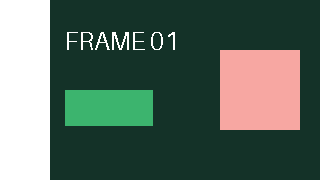
We generated a numbered 24-frame, 320 × 180 GIF with Python 3.13.15 and Pillow 13.0.0. The stored delays are [100, 110, 120, 130, 140, 150, 160, 170, 180, 190, 200, 210, 220, 230, 240, 250, 260, 270, 280, 290, 300, 310, 320, 330] ms. The palette has 256 entries with transparent index 0; saving uses disposal=2, optimize=False and loop=0. These settings apply to every row below, not to every GIF editor.
The source file is 47,669 bytes and one stored cycle totals 5,160 ms. Each trial starts again from source.gif. It does not edit the output of another trial. Source labels are counted from the first displayed picture, rather than from zero.
What the saved files actually contain
The values below come from reading the written GIF files, not from a preview timer. An independent block scanner counts image descriptors, sums graphic-control delays and reads the NETSCAPE application loop value; Pillow decodes the retained pictures. Native FFmpeg also decoded every saved animation and agreed on the frame counts and the binary alpha values.
| Source frames removed | Frames | Stored cycle duration | Loop | File size | Transparency |
|---|---|---|---|---|---|
| Baseline: no deletion | 24 | 5160 ms | Infinite; raw 0 | 47,669 bytes | Binary transparency retained |
| Delete source frame 1 | 23 | 5060 ms | Infinite; raw 0 | 45,722 bytes | Binary transparency retained |
| Delete source frames 10–14 | 19 | 4110 ms | Infinite; raw 0 | 37,886 bytes | Binary transparency retained |
| Delete source frame 24 | 23 | 4830 ms | Infinite; raw 0 | 45,692 bytes | Binary transparency retained |
Deleting the opening picture removed its 100 ms delay: 5,160 − 100 = 5,060 ms. Dropping source labels 10 through 14 removed 190 + 200 + 210 + 220 + 230 = 1,050 ms, leaving 4,110 ms. Removing the closing picture subtracted 330 ms and left 4,830 ms. The first and last trials both contain 23 pictures, but their durations differ because their deleted delays differ.
Positions move; the number painted on a picture does not
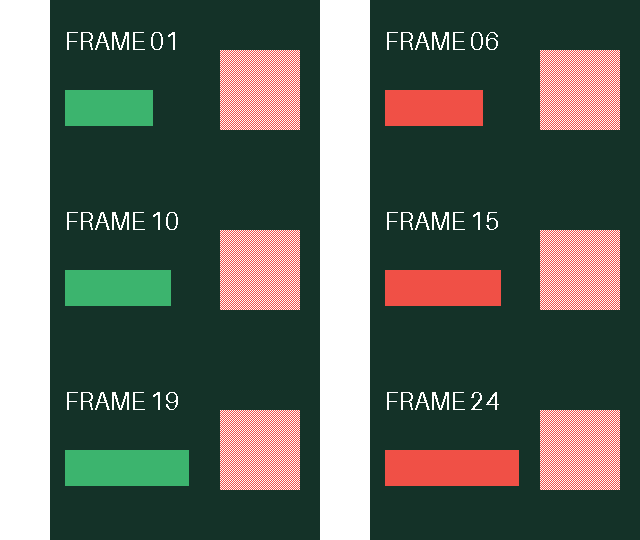
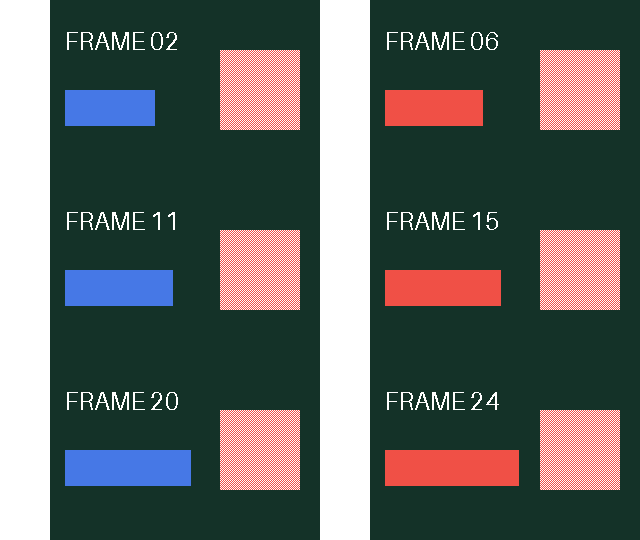
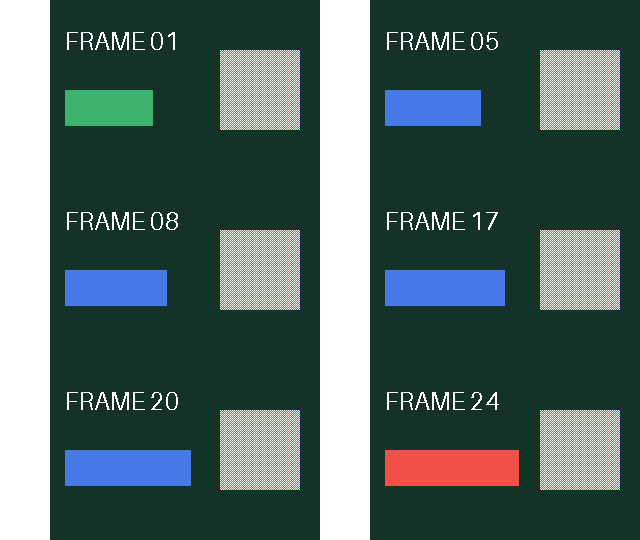
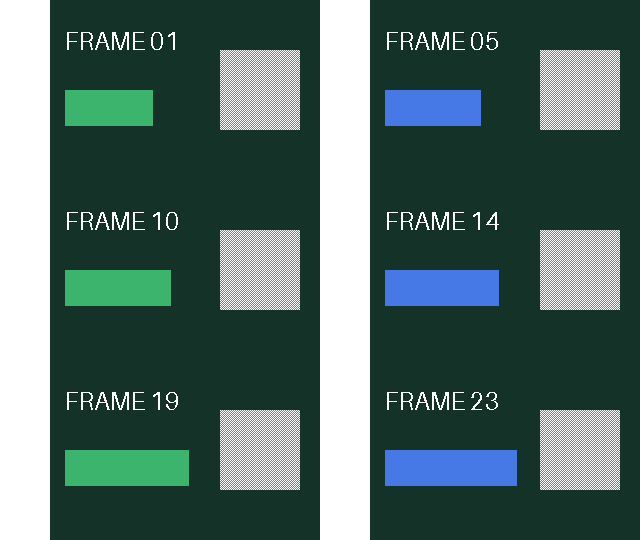
After removing the first picture, output position 1 shows source label 02 and output position 23 shows label 24. Removing the middle range leaves labels 01–09 followed by 15–24; output position 10 is label 15. Removing the end leaves labels 01–23. We compared every retained decoded picture against its corresponding source picture, including its alpha mask; all retained visible pixels and masks matched. This is evidence for these generated files, not a quality promise for arbitrary images.
Rebuilt output positions are consecutive. The label painted inside each picture remains its source identity. A second deletion using an old position list could therefore target the wrong picture; return to the unedited source when reproducing a different trial.
An infinite loop has no finite total playback duration
All four files contain the same raw NETSCAPE loop value, 0, and Pillow reads that as infinite repetition. We explicitly set loop=0 when saving; deleting a frame did not infer or preserve the loop setting on its own. The duration column is one cycle, not the running time of an infinitely repeating preview. This experiment does not test finite loop counts, so it cannot establish how another editor handles them.
Transparent is not the same as half-transparent
The reference PNG contains alpha 128 at pixel (220, 50). That fractional opacity is not present in source.gif: its decoded alpha values are only 0 and 255. For the GIF we deliberately replaced the half-alpha patch with alternating transparent and opaque pixels. The checkerboard-like patch approximates the appearance of translucency; it is not stored partial opacity.
Every decoded source and output frame has 12,200 transparent pixels and no fractional-alpha pixels. Its transparency flags remain set, and the retained-frame comparisons include the complete alpha mask. Thus binary transparency survived these deletion trials; genuine half-transparency did not survive the initial PNG-to-GIF representation. Download the reference PNG and a GIF and inspect their alpha channels to separate those claims.
GIF frame reducer versus removing a specific frame
Manual deletion targets an identifiable mistake, such as a flash or unwanted ending. Interval reduction selects pictures by a repeating rule, regardless of their content. A reducer therefore needs both a selection interval and a timing policy; it is not merely another name for choosing a bad picture.
Use specified source positions when the unwanted material has a clear location. Consider interval sampling when you deliberately want fewer motion samples across the sequence, and check whether the editor drops their time or reallocates it. We did not run an interval-reduction trial here, so the deletion table is not evidence of a reducer’s behavior. Keep that topic within this guide rather than treating it as another version of the extraction page.
Reproduce the three deletions
- Download the reproduction script and run it in a local folder with Python and Pillow 13.0.0 installed. The commands are shown below; they do not send images anywhere.
- Open the generated source.gif to see its original frame labels. The script independently reopens that file for each deletion list and writes the three outputs.
- Read results.json alongside the files. Check image-block counts, stored delay arrays, raw loop values, byte lengths, source-label mapping and alpha-mask comparisons. Changing the palette, font, library version or save options creates a different experiment, so measure it again rather than reusing these byte counts.
python -m pip install Pillow==13.0.0
python remover-experiment.py
The generated folder is remover-experiment-output. A failed assertion stops the script instead of silently accepting a mismatched result. The fixed palette in this reproduction is tailored to the generated sample; it is not a general-purpose encoder for arbitrary photographs or GIFs.
Evidence files and format references
Download the sample generator, deletion code and file scanner · Read the complete measured record · Read the independent FFmpeg decode counts · Download the fractional-alpha PNG reference.
The GIF89a specification, Graphic Control Extension defines a transparent color index and stored frame delays. The Pillow GIF documentation explains duration, disposal and loop options. These references explain the fields; the downloadable files supply this page’s measurements.